Tag: automation

  • GoHighLevel + Virtual Assistant: The Ultimate Agency Growth System

    Why Agencies Hit the GHL Ceiling Without a VA

    Most agency owners who implement GHL do so enthusiastically. They build automations, set up pipelines, connect their lead sources. For a few weeks, it feels like everything is running on rails.

    Then reality arrives.

    Automations misfire on edge cases nobody anticipated. Leads fall into the wrong pipeline stage. A client’s sub-account needs reconfiguring after their campaign changes. Review request sequences go out at the wrong time. The two-way SMS inbox fills up with responses that need a human reply.

    None of this is a crisis. But collectively, it’s a constant maintenance burden—exactly the kind of operational overhead that eats an agency owner’s working day.

    Add to this the ongoing work that GHL enables but doesn’t do automatically:

    • New client onboarding into sub-accounts
    • Pipeline reviews and follow-up prompts for stalled deals
    • Responding to leads who reply to automated sequences with real questions
    • Building and maintaining client reporting dashboards
    • Setting up new campaigns and funnels
    • Training clients on their GHL sub-account if they have access

    This is where a GHL-trained VA transforms the equation. They take on the platform management and the operational execution, freeing you for the strategy, the sales, and the client relationships that actually grow the business.


    The VA Roles in a GHL-Powered Agency

    A skilled GHL VA can own multiple functions. Here’s what that looks like in practice:

    CRM and Pipeline Management

    Your VA is the keeper of your pipeline. They:

    • Review the pipeline daily, identifying deals that haven’t moved in the defined timeframe
    • Add notes and context from client calls you brief them on
    • Move deals through stages as defined milestones are reached
    • Flag stalled deals and prompt you with specific next-action recommendations
    • Keep contact records clean—no duplicates, updated information, proper tagging

    The goal is a pipeline that reflects reality, not a pipeline where deals sit untouched for three weeks because nobody had time to update it.

    Automation Maintenance and Troubleshooting

    GHL automations break. APIs change, trigger conditions stop matching, workflow logic hits an edge case it wasn’t built for.

    Your VA monitors automation performance, catches when sequences stop firing or fire incorrectly, and either resolves simple issues or escalates complex ones with full context. They keep an automation audit log—what changed, when, and why—so nothing is a mystery when something goes wrong three months later.

    Lead Nurture and Response Management

    Automated sequences bring leads to the point of engagement. What happens then still needs a human.

    When a lead replies to an email or SMS, they’re often ready for a real conversation—and a templated response to that reply is a missed conversion. Your VA manages the two-way communication inbox, responding to engaged leads with personalized messages that fit the context. They know your offer, your qualification criteria, and when to escalate a lead for a sales call with you.

    This single function—human-managed lead response within a GHL automation context—is often where the ROI on a GHL VA is most immediately visible.

    Sub-Account Management for Client Delivery

    If you white-label GHL for clients, each sub-account is its own environment that needs setup, maintenance, and periodic review.

    Your VA handles new sub-account builds: installing your standard snapshot, configuring integrations, setting up the client’s pipeline and workflows, connecting their domains and messaging. For established clients, they manage ongoing maintenance: workflow updates, contact list hygiene, campaign setup, reporting.

    This is work that would otherwise require your direct involvement for every client, every time. With a trained VA owning sub-account operations, you’re not the bottleneck.

    Appointment and Calendar Management

    GHL’s calendar and booking features are strong, but someone needs to manage the exceptions: rescheduling requests, no-show follow-ups, conflicts with your availability that the automation didn’t catch.

    Your VA manages the calendar layer—confirming appointments, handling reschedule requests, ensuring the pre-appointment sequence is set up correctly for each booking type, and following up on no-shows with a personal message rather than an automated one.

    Reporting and Dashboard Maintenance

    GHL generates data. Someone needs to turn that data into information—dashboards that actually get reviewed, reports that prompt decisions.

    Your VA maintains your core reporting dashboards: pipeline velocity, conversion rates at each stage, campaign performance, review metrics, sub-account activity summaries. Weekly, they send you a 5-bullet summary of what the data shows. Monthly, they prepare a more complete review that informs your strategic decisions.


    Building the System: How VA and GHL Work Together

    The architecture that makes this combination work:

    Define the Automation Layer First

    Before you hand GHL management to a VA, document what’s automated and what isn’t. Your VA needs to know: “This sequence runs automatically for every new lead. This one needs to be triggered manually. This pipeline stage change fires this workflow. This one doesn’t.”

    Ambiguity about the automation boundary produces duplicate work (VA does something the automation also does) and gaps (both VA and automation assume the other is handling something).

    A simple automation map—triggers, conditions, actions, exceptions—gives your VA a clear reference for where their role starts and where the platform handles it.

    Build Exception Queues

    Not every GHL event that needs human attention is obvious. Build notification workflows that surface the situations requiring VA review:

    • Lead replies to a sequence → task created in VA’s queue with lead context
    • Deal in pipeline with no activity for X days → VA review task
    • Sub-account automation error → Slack notification to VA
    • Review received (positive or negative) → VA notification for response

    Your VA isn’t monitoring GHL constantly—the platform is surfacing the situations that need them.

    Establish Response Templates and Guidelines

    Your VA will be communicating on your behalf through GHL’s two-way messaging and email. They need:

    • Message templates for common scenarios (reply to inquiry, no-show follow-up, re-engagement)
    • Tone guidelines (how you communicate with leads vs clients vs prospects at different stages)
    • Escalation criteria (what gets handed to you vs handled by them)
    • Access to your service details, pricing, and offer parameters

    This investment upfront—a few hours building guidelines and templates—produces months of consistent, on-brand communication without your direct involvement in every exchange.

    Create a Handoff Protocol for Sales-Ready Leads

    The VA manages the pipeline up to the point where a lead is genuinely sales-ready. Your protocol should define what “sales-ready” means and how the handoff to you happens.

    In GHL terms: when a contact reaches Stage X with Y criteria met, the VA creates a task assigned to you with the lead’s full context, moves the contact to the appropriate pipeline stage, and sends a holding message that sets expectations while you engage.

    You never miss a hot lead because it was buried in a queue. The VA ensures it surfaces with everything you need to close.


    What to Look for in a GHL Virtual Assistant

    Not all VAs have GHL experience—but it’s learnable, and many trained VAs have it. When you’re evaluating candidates:

    Platform familiarity. Have they worked in GHL before? Can they navigate workflows, build automations, manage sub-accounts? Prior experience significantly shortens the ramp time.

    Automation thinking. Can they read a workflow and understand its logic? Do they think in terms of triggers, conditions, and actions? VAs who understand automation build better exception management systems and catch issues other VAs miss.

    Communication quality. Your VA will be communicating with leads and clients in your voice. Assess their writing quality and their ability to match a brand tone. This matters more for GHL VAs than for many other VA roles, because the communication volume is high and the stakes of each interaction are real.

    Systems orientation. GHL is a complex, interconnected platform. A VA who maintains detailed logs, documents what they change and why, and builds reusable templates is worth significantly more than one who works ad hoc.

    At VAConnect, our matching process specifically accounts for tool familiarity when clients are working in platforms like GHL. We place VAs who’ve been vetted for both the technical skills and the communication quality that GHL-centric roles require.


    The Growth System in Practice

    Here’s what a typical week looks like in a well-functioning GHL + VA setup:

    Monday: VA reviews pipeline, sends you a 3-bullet summary of what needs attention. Three deals are stalled—they’ve already drafted personalized re-engagement messages for your review.

    Throughout the week: New leads from your campaign come in, hit the automation, and start the sequence. Replies go to the VA’s queue. They respond same-day with personalized follow-ups. Two qualify for calls; they’re in your calendar by Wednesday.

    Wednesday: A new client signs. VA gets the notification, builds the sub-account from your snapshot, configures their integrations, sends the welcome sequence, and creates the onboarding checklist in your PM tool. You’re briefed at the end of the day.

    Friday: VA sends the weekly metrics summary—pipeline movement, lead conversion rates, campaign performance, review count. You read it over coffee and make two decisions. Everything else ran without you.

    This is operational leverage. Not you living in GHL—GHL running your operation while you run your business.


    The Economics

    Let’s put a rough number on this.

    Current VAConnect packages are listed on the pricing page. That’s your pipeline management, lead nurture, sub-account operations, and reporting covered.

    The alternative: hiring a full-time operations person familiar with GHL to do the same work in-house typically costs $4,000-6,000/month in a major market, plus benefits and overhead.

    More importantly: the value isn’t just cost. It’s the founder time recovered. An agency owner spending 15+ hours per week managing GHL is not growing their agency. The VA takes that 15 hours and converts it into capacity for sales, strategy, and client relationships.

    That’s where the real ROI lives.


    Getting Started

    If you’re not yet using a GHL VA, the fastest path to results:

    1. Document your current GHL setup. What automations are running? What does your pipeline look like? What does “good” look like for each metric? Get this out of your head and into writing.

    2. Define the first role. Don’t try to hand everything over at once. Start with the highest-friction function—often either pipeline management or lead response—and build from there.

    3. Find a VA with relevant experience. GHL fluency accelerates the ramp significantly. A specialized placement agency is the fastest way to find someone who already knows the platform.

    4. Run a 30-day integration. Give your VA full access and a clear scope. Review the work daily for the first two weeks, weekly for the second two. Adjust the scope based on what you learn.

    5. Systematize what works. Once the VA is operating effectively, document everything. The workflows, the guidelines, the exception protocols. Make the system independent of any one person.


    VAConnect places virtual assistants with specific platform expertise, including GoHighLevel, for agencies and service businesses across the US, UK, and Australia. Our matching process accounts for tool fluency as a primary selection criterion for platform-specific roles.
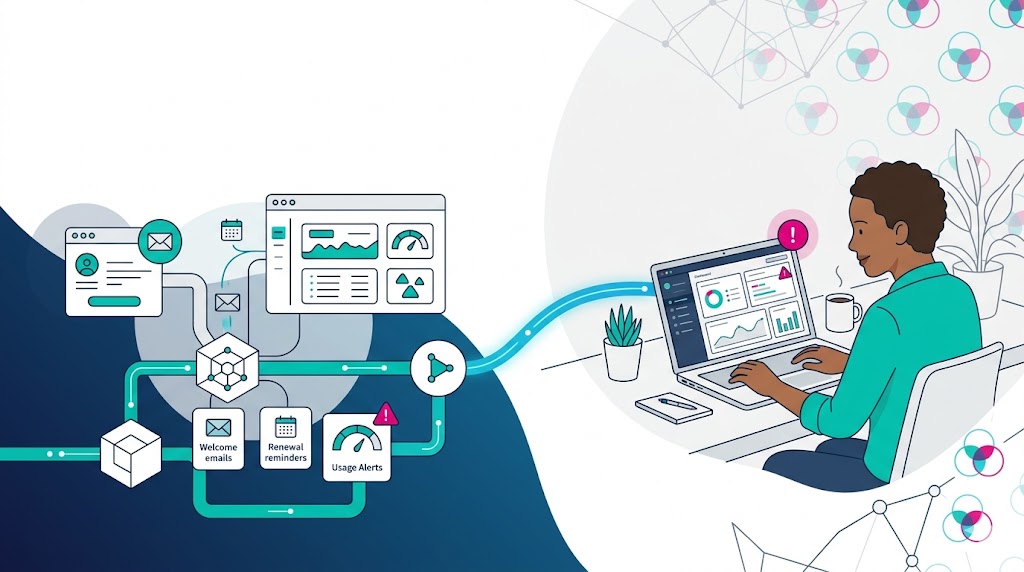
  • How to Automate Your Business with N8N and a Virtual Assistant

    What N8N Automates Well

    Let’s be specific about where n8n delivers the most value.

    Data Synchronization

    Keeping records consistent across multiple systems is a perpetual manual headache. CRM, accounting software, project management, communication tools—each has its own data model, and keeping them aligned requires constant manual effort.

    N8n solves this with bidirectional sync workflows. A new contact in your CRM triggers a corresponding record creation in your accounting system. A deal status change updates the project management tool and sends a Slack notification. An invoice marked paid triggers a receipt email and updates the client’s record.

    These syncs run in real time, without human involvement, at zero marginal cost per event.

    Lead and Client Intake Processing

    The workflow from “lead fills out form” to “properly set up in your system” involves multiple steps: CRM entry, lead assignment, notification, initial email, task creation, follow-up scheduling. If you’re doing this manually, you’re spending 10-15 minutes per lead on process administration.

    An n8n workflow handles this sequence automatically: form submission triggers CRM contact creation, lead scoring assessment, assignment to the right person, welcome email dispatch, and task creation—all within seconds of the form being submitted.

    Your VA’s role isn’t eliminated here—it shifts. Instead of doing the data entry and initial setup, they’re reviewing the automated output, handling the leads that require judgment (unusual industry, high-value prospect, existing contact), and managing the relationship from first contact.

    Internal Notification and Routing

    N8n excels at routing information to the right place at the right time. A contract signed in your e-signature tool triggers a Slack message to the account team, creates an onboarding project in your PM tool, and schedules a kickoff call reminder. A support ticket tagged as high-priority sends an immediate Slack alert and creates an escalation task.

    These routing workflows replace the “can someone please notify X when Y happens” requests that currently generate noise in your communications.

    Reporting and Monitoring

    Pulling data from multiple sources and assembling it into a summary is tedious manual work—exactly the kind of task automation handles better than humans.

    A daily n8n workflow can pull your key metrics from multiple APIs (sales pipeline, marketing performance, support queue, financial data), format them into a structured report, and deliver it to a Slack channel or email before 8am. Your VA reviews the report and flags anything that warrants attention.

    Weekly and monthly reporting works the same way—automated data assembly, human review and narrative.

    Document and File Processing

    Incoming invoices, contracts, applications, forms—any document that arrives and requires consistent processing is an automation candidate. N8n can receive documents via email, extract text, run parsing logic, and route the results to the appropriate system.

    Invoice received via email → extract vendor, amount, due date → create accounting record → notify the appropriate approver. Not perfect (documents vary; parsing logic needs maintenance), but good enough to eliminate most of the manual data entry.


    Where Your VA Fits In

    Automation handles the deterministic. Your VA handles everything else—which is still a lot.

    Exception management. Every automated workflow generates exceptions: inputs that don’t match expected patterns, edge cases the logic didn’t anticipate, situations where the automated action was wrong. Your VA reviews exception queues, corrects errors, and updates the workflow logic (or flags it to whoever maintains n8n) when the same exception keeps recurring.

    Relationship-sensitive communication. Automated emails are fine for confirmations, reminders, and routine status updates. They’re not fine for anything that carries relationship weight—complaints, escalations, sensitive negotiations, relationship check-ins. Your VA owns these communications.

    Workflow maintenance. N8n workflows break when APIs change, when the data coming in doesn’t match the expected schema, when a connected service has an outage. Your VA doesn’t necessarily fix the workflow—but they notice when something stopped working, they catch the alerts, and they either fix simple issues or escalate to whoever maintains your n8n instance.

    Context injection. Automated workflows operate on what’s in the data. They don’t know that a client is going through a difficult acquisition, that a prospect is sensitive about pricing, or that a particular contact prefers a specific communication style. Your VA injects this context at the appropriate moments—overriding the automated action when the context calls for it.

    Judgment on routing. Automated routing works until it doesn’t. When an unusual situation arrives and the workflow can’t determine where it belongs, your VA makes the call. Over time, common judgment calls get encoded back into the workflow logic—but the first time a scenario appears, it needs a human.


    Building the Integration: A Practical Architecture

    Here’s how to actually connect n8n and your VA into a working system.

    Step 1: Map the Automation Boundary

    For each key workflow in your business, draw a line between what gets automated and what needs your VA.

    A useful exercise: write out every step in a workflow, then mark each step with A (automate), V (VA), or E (escalate to me). The pattern usually looks like this—automated intake, automated data processing, automated routing, VA judgment at decision points, automated follow-through, VA relationship management.

    This mapping determines what you build in n8n and what goes in your VA’s task queue.

    Step 2: Build Your VA’s Task Queue Integration

    The single most important integration is between n8n and your VA’s task management system. When n8n needs human input or action, it creates a task in Asana, ClickUp, Notion, or wherever your VA works.

    This task should contain:
    – What needs to happen
    – Relevant context (links, data, background)
    – Due date or urgency level
    – Any decision options if it’s a routing choice

    Your VA reviews the task queue, takes action, and marks the task complete. N8n can be notified of task completion to trigger downstream automation if needed.

    Step 3: Build Exception Reporting

    Don’t let exceptions disappear silently. When an n8n workflow encounters an error or an unhandled case, it should:
    1. Log the exception with full context
    2. Send a notification to your VA (Slack message, task creation, or both)
    3. Route the original item to a manual processing queue

    Your VA handles the exception and, if it’s recurring, flags it for workflow improvement.

    Step 4: Define the Override Protocol

    Your VA needs to know when and how to override automated actions. Sometimes the automation fires correctly but the situation calls for a different response.

    Document this: “If you see X in the client’s record, override the automated Y with Z instead.” Your VA understands the context automation doesn’t have; this protocol puts that knowledge into action.

    Step 5: Maintain the Loop

    The automation system should get better over time. Build a regular review: your VA reports on common exceptions, recurring manual interventions, and workflow failures. You (or your n8n administrator) update the workflow logic to handle these cases automatically.

    Over months, your exception rate drops and your VA’s time shifts from routine interventions to genuinely complex situations.


    Practical N8N Workflows to Start With

    If you’re building this from scratch, here’s a sequence that works for most small businesses:

    Workflow 1: Lead capture and CRM sync. Connect your lead form → CRM → welcome email → VA notification task. This removes the highest-volume manual admin and gives your VA a consistent queue of new leads to follow up on.

    Workflow 2: Client onboarding sequence. Contract signed → project created → kick-off meeting scheduled → checklist sent → VA task to personalize and confirm. Standardizes a process that’s often inconsistent.

    Workflow 3: Daily briefing. Scheduled trigger → pull key metrics from relevant APIs → format report → post to Slack or email. Your VA reviews and adds narrative context.

    Workflow 4: Invoice and payment processing. Invoice sent → aging reminder sequence → payment received → receipt and record update. Reduces manual invoice chasing without losing the relationship touch your VA adds on overdue accounts.

    Workflow 5: Support ticket routing. New ticket → categorize by content → route to appropriate queue → notify responsible party → create task if escalation threshold met. Your VA handles the escalations; automation handles the categorization and routing.


    The Cost Case

    The economics of n8n plus a VA are worth understanding explicitly.

    N8n’s self-hosted option costs essentially nothing beyond your server infrastructure—typically $5-20/month on a VPS. Even the cloud version starts at around $20/month.

    A skilled VA costs $1,000-3,000/month depending on experience and scope.

    The alternative—staffing all of this manually—would require multiple people. The automation handles what would otherwise be 2-4 part-time employees’ worth of routine processing. Your VA covers the judgment layer that no automation can.

    The total cost of n8n plus a skilled VA is dramatically lower than the staff equivalent, with equivalent or better output quality on the automated portions and human-quality judgment on the rest.


    Getting Started Without Getting Overwhelmed

    N8n has a learning curve. The visual interface is intuitive for simple workflows; complex conditional logic and API integrations require more investment.

    A few approaches that work:

    Start with a template. N8n has a template library with hundreds of pre-built workflows. Start with a template that’s close to what you need, modify it, learn from how it’s built.

    One workflow at a time. Don’t try to automate your entire operation in month one. Start with the highest-friction manual process, build it well, run it for a month, then add the next.

    Involve your VA in the design. Your VA knows which manual processes are most painful and which exceptions occur most often. Their input improves the workflow design significantly.

    Document every workflow. Write a one-paragraph description of what each workflow does, what triggers it, and what outputs it produces. When it breaks—and it will eventually—you want to be able to diagnose it quickly.


    The Combination That Scales

    N8n and a skilled VA aren’t competing approaches to running your business. They’re complementary layers of a system that covers your full operational surface area.

    Automation at the scale and speed humans can’t match. Human judgment where automation can’t operate. The integration between them—exception routing, task queues, override protocols—determines how well the system holds together.

    Build it right, maintain it, and the combination scales with your business in a way that neither element could alone.


    VAConnect places virtual assistants who are comfortable working within modern automation stacks, including n8n, Zapier, and Make. Our matching process ensures the VAs we place can operate effectively within technical environments—not just manage calendars.

  • Automation + VA = The Most Powerful Productivity Stack

    Why a VA Alone Also Has a Ceiling

    This one is less comfortable to say, but important.

    A VA working without automation infrastructure is spending a meaningful portion of their time on repeatable manual processes that shouldn’t require a person. The specific mix varies by role, but common culprits include:

    • Manually moving data between systems (CRM updates, spreadsheet maintenance, reporting)
    • Sending routine emails that follow a predictable trigger (payment confirmations, booking follow-ups, milestone check-ins)
    • Updating task statuses after each stage of a workflow
    • Pulling the same information from multiple sources into a weekly summary
    • Logging communications into a CRM after every client interaction

    None of these require judgment. They require accuracy and consistency—which automation provides at zero marginal cost, without forgetting and without variation.

    When a VA is doing these tasks, they’re working below their actual capability. They’re also more likely to make errors, because the tasks are repetitive enough to be boring but consequential enough that errors matter. Automation does repetitive things better than humans do.

    The VA’s real value is in the non-repetitive work: nuanced communication, contextual judgment, relationship management, problem-solving under uncertainty. You want their hours concentrated there.


    What the Combination Actually Delivers

    When automation handles the predictable process flow and a VA handles the exceptions, the judgment calls, and the relationship-sensitive work, you get a system that’s:

    More consistent than a VA working manually. Automated triggers don’t forget. The follow-up email goes out at exactly the right time, every time. The CRM is updated in real time, not whenever someone gets to it.

    More intelligent than automation alone. The system knows when to escalate. When a client response doesn’t follow the expected pattern, the automation routes it to the VA instead of applying a templated response. The VA’s judgment is available for the situations that need it.

    More scalable than either approach alone. Adding another client or doubling your lead volume doesn’t proportionally increase your VA’s workload if the predictable parts are automated. The VA’s bandwidth scales with the complexity of what comes in, not the volume.

    More resilient. If your VA is sick or unavailable, the automated parts of your system keep running. Client communications are logged, tasks are created, data is flowing. The human-dependent parts wait; the automated parts don’t.


    Building the Stack: Where to Start

    The most common mistake is trying to automate everything at once. That way lies complexity, broken integrations, and a system nobody understands well enough to maintain.

    Start with one workflow. Make it work. Then add the next.

    Step 1: Map Your Operational Flows

    Before you build anything, understand what you’re actually dealing with. Map the key workflows in your business:

    • How does a new lead become a client? What are every step between first contact and signed contract?
    • How does a new client get onboarded? What happens from signature to first deliverable?
    • How does ongoing client management work? What touchpoints happen, when, and triggered by what?
    • How does internal work get assigned, tracked, and completed?

    For each workflow, mark the steps that are predictable (same thing happens every time a specific trigger fires) versus judgment-dependent (outcome varies based on context, relationship, or situation).

    The predictable steps are automation candidates. The judgment-dependent steps need a human.

    Step 2: Pick the Highest-Value Automation First

    Not all automations are equal. Prioritize by impact: which manual process, if automated, would save the most time or reduce the most errors?

    Common high-impact starting points:

    Lead capture and CRM entry. New form submission → CRM contact created, tagged, and added to the appropriate sequence. If you’re doing this manually, you’re adding 5-10 minutes of admin per lead and introducing the risk of things falling through the gaps.

    Client onboarding triggers. New contract signed → welcome email sent, onboarding tasks created in project management tool, VA alerted to schedule kickoff call. This can run without a human touching it until the VA’s involvement actually adds value.

    Invoice and payment workflows. Invoice sent → reminder sequence starts. Invoice paid → payment logged, receipt sent, reminder sequence stops. Manual invoice management is error-prone and time-consuming.

    Meeting follow-up sequences. Meeting booked → prep reminder sent at 24 hours. Meeting completed → follow-up task created for VA. This keeps the loop closed without the VA manually tracking every meeting.

    Step 3: Connect Your VA to the Automation System

    The automation creates the task. The VA executes the judgment.

    In Zapier or Make, you can build automations that create tasks in Asana, ClickUp, Notion, or whatever task management system your VA uses. The trigger fires, the automation runs, and the human-judgment part appears in your VA’s work queue with all the relevant context attached.

    This is the integration point that makes the combination work. Your VA isn’t monitoring every system for things that need their attention—the automation surfaces the relevant situations to them. They focus on the queue, not the noise.

    Step 4: Build Escalation Logic

    Not every exception should land on your desk. Define which exceptions go to your VA and which go to you.

    Your VA handles: client emails requiring a non-templated response, scheduling conflicts, unusual requests that fall within their authority, anything that needs a human but not specifically you.

    You handle: anything involving significant money, key client relationships when they’re at risk, decisions that affect company direction, situations the VA isn’t equipped to handle.

    Build this logic into the automation where you can. A Zapier filter that sends “complaint” emails to your VA’s priority queue rather than the general task list is a simple implementation of escalation logic. A rule that flags any invoice over a certain amount for your personal review is another.


    Tools That Work Well Together

    A few pairings worth knowing:

    Zapier + Google Workspace + Asana/ClickUp: The standard stack for small businesses. Zapier connects most things you’re already using. Google Workspace is where most communication lives. Asana or ClickUp is where work gets done.

    Make (formerly Integromat) + Airtable: For more complex data operations. Make is more powerful than Zapier for multi-step workflows and data transformation. Airtable works as a flexible database that plays well with automation.

    HubSpot + whatever task management tool your VA uses: If you’re using HubSpot as your CRM, its native workflow builder handles most CRM automation without needing a separate tool. The integration with your VA’s task management tool bridges the human-judgment gap.

    n8n (self-hosted): For technically sophisticated operations, n8n is a self-hosted automation platform with more flexibility and lower cost than SaaS alternatives. Requires more technical setup but gives you full control.

    Slack (with Zapier/Make connections): Using Slack as a notification and coordination layer—alerts go to a specific Slack channel, the VA reviews and acts, status updates feed back from the task system—works well for teams already using Slack as their communication hub.


    What Your VA Needs to Operate Inside an Automated System

    Building the automation is the technical work. The human side of the system—your VA’s role within it—needs explicit design.

    Clear ownership of the exception queue. Your VA needs to know: what lands in their queue, what constitutes a routine action versus a judgment call, and what gets escalated to you. Write this down.

    Context attached to automated tasks. The automation should surface the relevant context alongside the task. Not just “follow up with [Client]” but “Client responded to the proposal with questions about timeline—here’s the thread, here’s the original proposal, here’s what you know about their decision-making process.”

    Authority to act. Automation surfaces the situation; your VA acts on it. If they need to check with you before doing anything meaningful, the system doesn’t reduce your involvement—it just adds a step. Give your VA clear authority over their domain.

    A feedback loop. When the automation misroutes something or the wrong action fires, your VA should be able to flag it. Over time, this feedback improves the system. The automation gets better at knowing what goes where. The VA’s queue gets cleaner.


    Common Mistakes to Avoid

    Over-automating before testing. Complex automations with many branches and conditions are hard to debug when they fail. Build simple automations, test them, run them for a while, then add complexity.

    Automating a broken process. If a process is inefficient and you automate it, you’ve got an efficient version of something that still doesn’t work right. Fix the process first.

    Creating automations only the builder understands. Your VA needs to understand the automations they’re working within—what triggers them, what they do, when they fire. If something breaks, your VA should be able to diagnose it without you.

    Not documenting the system. A well-built automation system is a business asset. Document it: what each automation does, what triggers it, what it connects. When something breaks or you want to change something three months later, you want the map.

    Treating automation as a one-time project. Your business changes. The automations that made sense six months ago may need updating. Build a quarterly review into your process: what’s working, what’s misfiring, what’s new enough to add?


    The Leverage Equation

    Here’s the honest math.

    Without automation, a skilled VA can support 2-3 clients at a meaningful level of service quality while remaining fully occupied.

    With well-built automation handling the predictable workflow steps, the same VA can support 4-6 clients—because 30-40% of the manual work is handled without their involvement, freeing their capacity for the judgment-intensive work.

    For you as the client, this means more service capacity at the same hourly cost. For the VA, it means work that’s more interesting, less repetitive, and higher leverage.

    The system is also more resilient. A client whose onboarding workflow is fully automated doesn’t experience a gap when the VA is unavailable for a day. The tasks still get created, the emails still go out, the process still moves. The human involvement happens when the human judgment is actually needed.


    Building Incrementally

    The most important thing about this combination is that you don’t have to build the whole system before you see returns. One automation that reliably handles a previously manual step delivers value immediately.

    Start where the pain is. One workflow. Make it work. Hand it off to your VA to operate. Then find the next one.

    Over six months, most small businesses can systematize 50-60% of their repetitive operational work. What’s left—the judgment calls, the relationships, the exceptions—is exactly where your VA’s time should be concentrated.

    That’s the combination: automation for the predictable, human judgment for everything else. Not either/or. Both, built to complement each other.


    VAConnect places virtual assistants who are trained to operate within modern business tool stacks—including automation platforms. We work with clients across the US, UK, Australia, and South Africa to build operational systems that scale.

  • Virtual Assistant for SaaS Companies: Ops Tasks to Automate and Delegate

    Virtual Assistant for SaaS Companies: Ops Tasks to Automate and Delegate

    Customer Onboarding Support

    Customer onboarding is where SaaS churn risk is highest and where human involvement has the most impact. Research consistently shows that customers who successfully onboard — who reach their “aha moment” and integrate the product into their workflow — churn at dramatically lower rates than those who don’t.

    Automation handles the mechanical onboarding sequence: welcome emails, tutorial prompts, feature introduction sequences, check-in reminders. These fire reliably and at scale.

    What automation doesn’t do: notice when a new customer hasn’t logged in in a week, recognize that their usage pattern suggests confusion rather than adoption, or send a personal note that opens a conversation before the customer silently churns.

    VA onboarding tasks in a SaaS context:

    • Monitor onboarding completion rates and flag accounts that are falling behind
    • Send personalized check-in messages to customers who appear stuck
    • Coordinate product demos or training sessions for customers who need additional support
    • Gather and document customer feedback during the onboarding window
    • Update customer records with onboarding status notes and next-action flags

    The goal is an onboarding experience that feels personal at scale — which requires a human who can distinguish the customers who are progressing well from those who need intervention.


    Renewal Management and Expansion

    In SaaS, renewal is a revenue event, not an administrative task. The customers who renew — and who expand their usage — represent the difference between growth and churn. Yet many SaaS companies manage renewals through automated sequences and hope.

    A VA who owns the renewal motion adds a human layer at critical moments.

    Pre-renewal tasks:

    • Flag accounts approaching renewal windows (typically 60-90 days out) and categorize by health score
    • Reach out to at-risk accounts with personal communication rather than automated reminders
    • Schedule renewal conversations between the account team and customers who need direct engagement
    • Prepare renewal briefings: account history, usage data, any outstanding issues, talking points
    • Track renewal commitments and follow up on unsigned contracts

    Expansion tasks:

    • Identify customers whose usage suggests they may benefit from an upgrade or additional seats
    • Draft personalized expansion proposals based on account context
    • Follow up on expansion conversations and coordinate the upsell process
    • Document expansion outcomes and update the CRM

    The key difference between an automated renewal sequence and a VA-managed renewal motion is discernment. Automation treats all expiring contracts the same. A VA recognizes that the 200-seat enterprise account and the two-person startup require completely different approaches.


    Customer Success Operations

    Customer success is simultaneously one of the highest-leverage functions in SaaS and one of the most administratively demanding. CSMs spend significant time on tasks that don’t require their customer relationship expertise: documentation, CRM updates, scheduling, reporting, data pulling.

    A VA for customer success operations frees CSMs to spend their time on the relationship work that actually moves the needle.

    CS operations tasks:

    • Maintain customer health score tracking and flag accounts that drop below thresholds
    • Prepare weekly CS team reports: accounts by health score, recent activity, upcoming renewals, escalations
    • Schedule QBRs (quarterly business reviews) and prepare briefing documents
    • Document customer calls and update CRM records with action items and next steps
    • Manage the escalation queue: categorize incoming support escalations and route to the appropriate team member
    • Send meeting follow-up summaries to customers after key interactions

    The result: your CS team spends more time with customers and less time on the administrative overhead that currently consumes their calendar.


    Content and Communications Operations

    SaaS companies have high content demands: product updates, feature announcements, help documentation, case studies, email campaigns, social media, webinar logistics. A VA with content operations experience can own significant portions of this workload.

    Content operations tasks:

    • Research and draft blog posts, product update announcements, and help center articles
    • Manage the content calendar and make sure deadlines are tracked and met
    • Repurpose long-form content into social media posts, email excerpts, and newsletter sections
    • Coordinate webinar logistics: promotion, registration management, reminder sequences, post-event follow-up
    • Monitor social media channels and manage community engagement
    • Coordinate with freelance writers, designers, or agencies and manage deliverable review

    For early-stage SaaS companies that don’t yet have dedicated marketing operations staff, a VA who can own content operations provides significant output.


    Sales Support and Lead Operations

    SaaS sales teams — especially in PLG (product-led growth) or self-serve models — generate significant operational demand that doesn’t require an AE’s time.

    Sales support tasks:

    • Research leads and prepare account briefs before sales calls
    • Update CRM records after calls and flag pipeline changes
    • Coordinate trial-to-paid conversion outreach for free users who hit engagement signals
    • Manage SDR scheduling and follow-up sequences
    • Prepare proposal documents and customize templates for individual prospects
    • Track open proposals and coordinate follow-up timing
    • Run win/loss analysis: gather data on churned customers, compile exit interview summaries

    A VA who handles sales research and administrative support lets your AEs spend more time in conversations and less time in Salesforce.


    Data, Reporting, and Intelligence

    SaaS companies generate a lot of data. Turning that data into information — summaries, dashboards, competitive intelligence, user behavior analysis — is time-consuming work that often falls through the gaps because nobody owns it.

    Data and reporting tasks:

    • Pull weekly/monthly metrics reports from your analytics stack (Mixpanel, Amplitude, Stripe, etc.)
    • Compile competitive intelligence: monitor competitor announcements, pricing changes, product updates
    • Maintain your win/loss database and generate periodic analysis
    • Track app store reviews and G2/Capterra reviews, and compile sentiment summaries
    • Research industry trends and prepare briefing documents for leadership meetings
    • Coordinate the board deck assembly: gather data from department heads, format slides, check for consistency

    These tasks are genuinely valuable — your team should be making decisions based on this data — but they’re not a good use of a product manager or engineer’s time. A VA who owns reporting infrastructure makes the data accessible without pulling technical resources away from product work.


    Recruiting and HR Operations Support

    Growing SaaS companies hire frequently, and recruiting is operationally demanding: job postings, applicant tracking, interview scheduling, offer letter coordination, onboarding logistics.

    Recruiting operations tasks:

    • Manage job postings across multiple platforms
    • Screen incoming applications against defined criteria and flag qualified candidates
    • Schedule interviews and coordinate between candidates and interviewers
    • Prepare interview briefing packets for interviewers
    • Send rejection communications for candidates who don’t progress
    • Coordinate offer letter creation and track signature status
    • Manage new hire onboarding logistics: equipment ordering, account setup, first-week scheduling

    For a team doing regular hiring cycles, a VA who owns recruiting operations saves significant engineering and management time on the administrative side of the process.


    The Automation Boundary in SaaS Operations

    A key principle for SaaS VA deployment: automate the predictable, delegate the judgment-dependent.

    The predictable workflows — trial activation emails, renewal reminder sequences, usage threshold alerts, invoice generation — should be automated. They fire reliably, at scale, without human involvement.

    The judgment-dependent moments — a customer who’s struggling with onboarding, an account that’s showing churn signals, a renewal conversation with a dissatisfied customer — need a human. The automation surfaces these situations; the VA handles them.

    Building the handoff between automation and human correctly is more important than the sophistication of either element. A simple automation that reliably surfaces the right situations to the VA, combined with a skilled VA who handles those situations well, outperforms elaborate automation that tries to handle judgment calls mechanically.


    Building a SaaS VA Stack

    A few practical notes on tool integration for SaaS companies deploying VA support:

    CRM access is table stakes. Your VA needs full read/write access to the CRM to be effective in customer-facing roles. If they can’t update records, they can’t own the workflow.

    Communication tool integration. Your VA should be operating out of your company’s email domain (using an alias or a shared inbox) for customer-facing communications. A response from riley@yourcompany.com is more credible than riley@externalagency.com.

    Task management integration. The automation layer should create tasks in your VA’s work queue when it surfaces situations that need human attention. This requires integration between your automation tool (Zapier, n8n, HubSpot workflows) and your task management system.

    Access controls matter. Define what your VA can do independently versus what requires approval. For customer communications, this typically means: routine follow-ups and scheduling are autonomous; pricing conversations and contract changes require check-in.


    Hiring for SaaS VA Roles

    SaaS VA roles have specific requirements beyond general VA skills:

    Tech comfort. Your VA will be operating in your product, your CRM, your analytics tools. Genuine comfort with software products and the ability to learn new tools quickly are non-negotiable.

    Data literacy. The ability to pull reports, read dashboards, and synthesize data into summaries is valuable across almost every SaaS VA role.

    Customer communication quality. In customer-facing roles, your VA is representing your brand. Their written communication quality should match your company’s standard.

    Understanding of SaaS metrics. A VA who understands what MRR, churn, NPS, and health scores mean — and why they matter — will make better judgment calls than one who’s learning SaaS terminology on the job.

    At VAConnect, our matching process for SaaS clients accounts for these requirements specifically. We don’t place generalist VAs in SaaS operations roles — we match based on tool familiarity, communication quality, and the ability to operate in a fast-moving product environment.


    Getting Started

    The fastest path to value in a SaaS VA deployment: start with one function, get it working well, then expand.

    The highest-impact first deployment for most SaaS companies is customer onboarding support or renewal operations — the functions where human intervention has the clearest revenue impact. Start there. Build the workflows, establish the communication standards, run the first 60-day cycle, evaluate the outcomes.

    Once that function is working, add the next. Customer success operations, sales support, content ops — each adds a layer of operational capability that compounds with the others.

    The alternative — trying to hand over everything at once — produces confusion and suboptimal outcomes. One function done well builds the trust and context that make the next function work better.


    VAConnect places virtual assistants with specific SaaS operations experience for growing software companies across the US, UK, and Australia. Our matching process ensures the VAs we place understand product environments, SaaS metrics, and customer success workflows.

  • Virtual Assistant for Amazon Sellers: Automate Your FBA Operations

    Virtual Assistant for Amazon Sellers: Automate Your FBA Operations

    Virtual Assistant for Amazon Sellers: Automate Your FBA Operations

    It usually starts around 11 p.m. The kids are asleep, the dishes are done, and the Amazon seller who promised themselves an early night is instead hunched over a laptop, toggling between four browser tabs. One tab shows a suppressed listing that needs a flat-file fix before morning. Another has three customer messages sitting at the edge of Amazon’s 24-hour response window. A third is a half-built PPC report. The fourth is a supplier email in a different time zone that should have gone out six hours ago. None of these tasks is hard. That’s the cruel part. Individually, each takes ten minutes. Together, they eat the evening, then the next one, then the weekend.

    This is the quiet crisis behind most stalled Amazon businesses. Not a bad product. Not a thin margin. Coordination chaos — the slow accumulation of small operational jobs that no single person can carry while also doing the work that actually grows revenue. And what’s become genuinely surprising over the past two years is how wide the gap has grown between sellers who solved this problem and the ones still trying to white-knuckle their way through it. The sellers who delegated didn’t just buy back time. In many cases they pulled so far ahead that the do-it-yourself crowd can no longer see them.

    This piece looks at why that gap opened, what the research says about remote delegation, and why a specific kind of help — a real human virtual assistant, working in your time zone, rather than a pure automation stack — has turned into the single highest-leverage decision a seller can make.

    The Operational Avalanche No One Warned Sellers About

    Fulfillment by Amazon was sold to a generation of entrepreneurs as a freedom machine. Amazon picks, packs, ships, handles returns, and lends you the trust of its brand. The pitch was that the platform would do the boring parts so you could focus on the fun parts. For a while that’s roughly true. Then your catalog grows from three SKUs to thirty, and the boring parts multiply faster than the fun ones ever could.

    Run the list of what a modern FBA account actually demands on a daily basis. Inventory has to be watched so you never stock out on a ranking product or overstock into long-term storage fees. Listings need their titles, bullets, backend keywords, and A+ content kept current as competitors shift and the algorithm moves. PPC campaigns want daily attention — bid adjustments, negative keyword harvesting, search-term mining, budget reallocation. Customer messages carry a hard response clock. Account health alerts can appear without warning and demand same-day action. Suppliers need chasing. Shipment plans need building. Reviews need monitoring. Suppressed and stranded listings need rescuing before they bleed sales.

    Sellers feel this in their bodies before they can name it. The frustration is everywhere in the places sellers talk honestly to each other. On marketplace seller forums, the word that recurs is “burnout” — one long-running thread on seller exhaustion drew more than fifty replies from people describing the same arc of doing everything themselves until the work stopped feeling like a business and started feeling like a trap. One operations-minded seller in that thread admitted they’d happily do nothing but prep and photography for someone else, because the relentless context-switching of running the whole show had ground them down. The pattern is consistent across communities: people who are good at the craft of selling are being defeated by the logistics of selling.

    The silent killer of the Amazon business isn’t competition or fees. It’s administrative bloat — the steady drain of small tasks that leaves no mental room for product development, sourcing, or expansion.

    The deeper damage isn’t the hours. It’s what economists call opportunity cost. Every evening spent fixing a flat file is an evening not spent negotiating a better unit price, validating the next product, or building a brand asset that compounds. A seller acting as their own high-level admin has, in effect, demoted themselves inside their own company. The business can’t outgrow the bandwidth of its most overloaded employee, and when that employee is also the owner, the ceiling is brutally low.

    What the Productivity Research Actually Shows

    It’s tempting to treat “hire help and free yourself up” as motivational-poster advice. The interesting thing is that the data backs it harder than the slogans do, and the academic picture has sharpened considerably in 2024 and 2025.

    The U.S. Bureau of Labor Statistics, in an October 2024 analysis, examined remote work across dozens of private-sector industries and found that randomized firm-level experiments identified small but real positive effects of remote arrangements on individual output, alongside something owners care about even more: lower turnover as job satisfaction rose, which cuts the hidden cost of constantly rehiring (BLS, 2024). Stanford economist Nicholas Bloom, who has tracked remote outcomes since 2012, published updated findings in 2024 showing that hybrid and remote schedules now produce output equal to or greater than fully in-office work across roughly 70% of measured job categories (Apollo Technical, 2026). A 2025 Federal Reserve note pushing on the same question concluded that the inherent ability to perform work remotely is causally linked to higher sector productivity over time, once you strip out the selection effects that muddied earlier studies (Federal Reserve, 2025).

    Why does this matter to a person selling kitchen gadgets on Amazon? Because it dismantles the oldest objection to delegation: the suspicion that someone working remotely, whom you can’t see, will quietly do less. The evidence runs the other way. Remote operators, given clear tasks and accountability, match or beat the in-person baseline — and they cost dramatically less to keep.

    There’s a second, subtler finding worth pulling out. A 2025 study of globally distributed teams analyzed over 430,000 messages across 200 people and found that engineers were losing close to 17 hours a week purely to coordination — scheduled meetings, unscheduled meetings, and the endless reconstruction of decisions scattered across chat threads (RDEL, 2025). That’s the same tax a solo seller pays, only worse, because the seller is simultaneously every department in the company. The research keeps arriving at one conclusion: the bottleneck in modern work is rarely the work itself. It’s the overhead of holding it all together.

    The Tasks Sellers Are Actually Handing Off

    When sellers finally bring in a dedicated Amazon virtual assistant, they tend to be surprised by how much of their week was made of jobs that never needed them specifically. Industry guidance from 2025 and 2026 maps the territory cleanly, and the list is consistent across providers (Seller Snap, 2025; VA Masters, 2026).

    At the operational core sits inventory management — monitoring stock levels, setting restock alerts, coordinating with suppliers, building and tracking FBA shipment plans, and untangling stranded inventory before it costs you. Then comes listing work: creating and optimizing titles, bullets, descriptions, image briefs, and backend search terms so products keep indexing and converting as the market moves. PPC support is where many sellers feel the most relief; a capable VA executes bid changes, pulls performance reports, harvests converting search terms, and prunes wasted spend, while the seller keeps the high-level strategic calls. Customer service runs against Amazon’s response clock and benefits enormously from someone who can stay on top of the queue. And running underneath everything is account health monitoring — catching policy flags, suppressed listings, and Seller Support cases before they metastasize.

    The compounding effect is the headline. One 2026 analysis put it plainly: FBA sellers who bring on a competent VA can manage two to three times more SKUs without adding hours to their own week (Stealth Agents, 2026). That isn’t a productivity tweak. That’s a different business. A seller who could personally babysit ten products can now oversee thirty, with the same evenings free, because the execution layer has been lifted off their shoulders.

    Notice, though, what stays with the seller. Strategy. Sourcing relationships. Brand direction. Budget philosophy. The big, judgment-heavy calls. A good VA arrangement doesn’t replace the entrepreneur — it amputates the admin that was preventing the entrepreneur from being one.

    The Human in the Loop: Why a Person Beats Pure Automation

    Here’s where a lot of sellers take a wrong turn in 2025 and 2026. The market is flooded with software promising to “fully automate” your store — AI that writes your listings, AI that answers your customers, AI that manages your bids. The pitch is seductive because it sounds even cheaper than a person and infinitely scalable. The problem is that the customers on the other end have already decided how they feel about it, and they don’t like it.

    The numbers here are blunt. A 2025 Verint report found that 56% of people would rather speak to a human than an automated system (TechTarget, 2025). A separate 2026 analysis reported that around 71% of consumers prefer a human agent over a chatbot, especially for complex or high-stakes problems (Bloomfire, 2026). And the consequences of getting this wrong are measurable: earlier research cited in the same coverage found that a majority of customers would consider switching to a competitor if a company leaned on AI for service. The cautionary tale of the season is Klarna, which aggressively replaced hundreds of support staff with automation between 2022 and 2024, then publicly reversed course and began rehiring after service quality slipped (TechTarget, 2025).

    Companies that keep a human at the moments customers care about most see roughly 32% higher satisfaction on emotionally charged interactions than AI-only resolutions, according to McKinsey research summarized in late-2025 CX analysis.

    For an Amazon seller, this lands directly on the bottom line, because on Amazon, communication is the product experience. A buyer who’s upset about a damaged item doesn’t want a chipper auto-reply that misreads the situation — they want someone who can read the tone, recognize that this is a moment where a refund and a genuine apology buys a five-star review instead of a one-star one, and respond like a person who actually cares about the brand. AI handles the simple, repetitive first response well. It falls apart at exactly the moments that determine whether a customer leaves a glowing review or a furious one.

    The same logic applies to the content that drives your listings. AI can draft a serviceable bullet point. It cannot reliably tell you that the phrase it chose sounds robotic to a British shopper, or that your competitor just shifted their positioning, or that the “optimized” copy it generated quietly stuffed a keyword that makes the listing read like spam. That layer of judgment — the human in the loop — is what separates content that converts from content that merely exists.

    This is why the smartest setup in 2026 isn’t human or machine. It’s a skilled person using the machines. A capable VA wields Helium 10, Jungle Scout, Sellerboard, and AI drafting tools as instruments, then applies the human judgment those tools lack. The automation does the grunt work at speed; the person decides what’s actually right. A seller who buys pure automation is buying the cheap half of that equation and quietly degrading the experience that their reviews, rankings, and repeat purchases all depend on.

    The South African Advantage

    Once a seller accepts that they want a real human handling operations, the next question is where that human should be. For a long time the default answer was the Philippines or South Asia — and those markets still place enormous numbers of capable VAs. But for sellers operating in the UK and Europe, a quieter shift has been happening, and it points firmly south, to South Africa.

    Start with the time zone, because it’s the part sellers underestimate until they live it. South Africa runs one hour ahead of the UK during British Summer Time and two hours ahead in winter. The practical effect is almost magical for a UK-based seller: you assign work at the end of your day, your VA is already mid-shift on a normal nine-to-five Cape Town schedule, and the completed deliverables are waiting before your next morning coffee (VAConnect, 2026). No one is working a graveyard shift. No one is groggy on a schedule built for someone else’s continent. The overlap is real and humane, which is exactly why it holds up over the long term rather than burning people out.

    Then there’s language and culture. South Africa’s business language is English — not learned-for-work English, but the genuine article, spoken with a neutral accent that UK and European customers parse without friction (VAConnect, 2026). The cultural alignment runs deeper than vocabulary. There’s a shared frame of reference around tone, humor, formality, and customer expectations that means a South African VA writing to your British buyers doesn’t sound like they’re working from a script. For a business where every customer message and every line of listing copy carries your brand voice, that fluency is not a nice-to-have. It’s the whole point.

    The talent supply is the part that genuinely surprises people. Cape Town and Johannesburg together produce roughly 14,000 university graduates a year in business administration, communications, and digital marketing — into a job market with formal capacity to absorb fewer than 40% of them (VAConnect, 2026). That’s an enormous pool of educated, ambitious, English-native professionals competing for too few local roles. For a UK or European business, it means access to genuinely high-caliber people who would be expensive and hard to retain at home.

    And finally, the economics, which read almost like a typo until you check them twice. South African VA agencies aim to match or exceed domestic quality benchmarks (VAConnect, 2026). This is the combination industry watchers have started calling the “Goldilocks” zone — first-world skill sets at developing-market prices, wrapped in a near-perfect time zone. It’s the rare arbitrage where you don’t trade quality for cost. You get both.

    Inside the VAConnect Model

    The agency that has done the most to formalize this South African–to–UK pipeline is VAConnect, and it’s worth examining closely because its model answers the objection most sellers raise next: fine, but how do I avoid the freelancer roulette?

    VAConnect isn’t a gig marketplace where you gamble on an unknown contractor and hope. Founded in 2014 (with roots going back to a 2008 consultancy), it operates as a managed agency that exclusively employs South African professionals and places them as dedicated, full-time team members for international clients (VAConnect, 2026). VAConnect places South African virtual assistants with UK-based clients, and Birmingham is one of its more established corridors (VAConnect, 2026).

    The recruitment philosophy is the part that should reassure a nervous seller. VAConnect describes a process built on rejection rates rather than acceptance thresholds — meaning the filtering is aggressive, and what reaches the client is the residue of heavy screening rather than whoever applied first. That screening flows through an in-house infrastructure: candidates are recruited through its VAJobs channel, trained on a free upskilling platform called VAVarsity, monitored through a system it calls Atomic Energy, and held accountable through a performance framework it refers to as VAPIness (VAConnect, 2026). For UK client-facing roles specifically, the agency matches candidates with British English proficiency and an understanding of UK business norms. VAs arrive already trained on the tools British businesses actually run on — Xero, HubSpot, Slack, Asana, Microsoft 365, Google Workspace — which collapses the usual onboarding lag.

    The pricing makes the math impossible to ignore. A dedicated VAConnect VA starts around $1,088 per month for 40 hours. There is no employer National Insurance, pension contribution or office cost on top (VAConnect, 2026). The seller gets a dedicated professional, and the agency absorbs the recruitment, training, and management overhead.

    Zoom out and the market context explains why this is accelerating. The UK virtual assistant services market was valued at £773 million in 2024 and is projected to reach £4.3 billion by 2030 — a 33.9% compound annual growth rate (VAConnect, 2026). That curve isn’t being drawn by businesses cutting corners. It’s being drawn by businesses that figured out the productivity arithmetic before their competitors did.

    The Widening Gap Between Coordinated and Chaotic Sellers

    Step back and the whole picture resolves into a single, slightly alarming observation: the distance between sellers who solved the operations problem and sellers who didn’t is no longer a matter of degree. It’s a matter of category.

    Consider how the two kinds of seller spend a Tuesday. The coordinated seller assigns the day’s listing updates, PPC adjustments, and customer queue to a dedicated VA at the close of British business hours, then spends their own focused time on a supplier negotiation and validating a new product line. Overnight, the South African VA works a normal day and clears the queue. The seller wakes to completed work and a clean inbox. The chaotic seller, meanwhile, is still personally toggling between those same four browser tabs at 11 p.m., losing the coordination tax that research pegs at the equivalent of two full working days a week, and falling a little further behind on the only activities that actually compound.

    Run that difference across a quarter and it stops being a productivity gap and becomes a competitive moat. The coordinated seller launches more products, responds to market shifts faster, maintains higher listing quality, protects their review profile with genuine human service, and does it all without the founder burning out. The do-it-yourself seller works harder every month and watches their relative position erode anyway, because effort was never the constraint. Bandwidth was.

    What’s genuinely surprising is how cleanly the evidence now lines up behind the obvious move. The academic research says remote operators match or beat in-person output. The customer-experience research says a human in the loop beats pure automation at the moments that matter. The market data says UK businesses are pouring into South African talent for sound reasons of time zone, language, and cost. And the agency model has matured to the point where the old objections — quality, reliability, onboarding pain — have largely been engineered away. The pieces don’t just point in the same direction. They’ve been pointing there for two years while a lot of sellers weren’t looking.

    The sellers who were looking are the ones who quietly pulled ahead.

    DIY vs. Marketplace Hire vs. VAConnect: The Productivity Difference

    The clearest way to see the gap is to put the three operating models side by side. The contrast isn’t subtle.

    FactorDIY CoordinationGeneric FreelancerVAConnect
    Owner’s weekly admin load20–40+ hrs of operational tasks personallyReduced, but heavy management & re-explainingNear-zero; work delegated and returned overnight
    SKU capacityCapped at one person’s bandwidthModest lift, limited by churn2–3x more SKUs without added owner hours
    Time zone (UK seller)N/A — owner does it allOften 6–12 hrs misaligned (overnight delays)1–2 hrs ahead of UK; same working day
    English & cultural fitNativeVariable; accent & idiom friction commonNative English, neutral accent, UK-norm trained
    Tool readinessOwner already knows toolsOften needs training on each platformPre-trained on Xero, HubSpot, Slack, Asana, MS 365
    Customer-service qualityInconsistent (owner exhausted)Inconsistent; scripts & misreadsHuman judgment + empathy where it counts
    Management overheadNone — but no relief eitherHigh; you manage the freelancerLow; agency handles HR, training, accountability
    Monthly cost (UK comparison)“Free” but founder burnout & lost growthLow hourly, high hidden cost$1,088 for 40 hours, fully managed
    Risk profileBurnout, stalled growth, owner-as-adminQuality lottery, ghosting, reworkManaged, accountable, dedicated team member
    Net effect on the businessCeiling capped at owner’s energyMarginal relief, ongoing frictionOperational layer lifted; founder freed to scale

    The takeaway isn’t that freelancers are worthless or that doing it yourself is shameful — every seller starts in the first column, and many find capable individual contractors in the second. The point is that those models leave value on the table that the managed, time-zone-aligned, human-led model captures. For a UK or European Amazon seller specifically, the combination of overnight turnaround, native English, rigorous vetting, and a cost that undercuts a domestic hire by more than half isn’t one advantage. It’s the whole stack of advantages at once.

    The 11 p.m. laptop session was never a sign of a committed entrepreneur. It was a sign of an unsolved operations problem — and the gap between the sellers who solved it and the ones still living it has grown wide enough that it’s worth being a little shocked about. The good news is that closing it is no longer complicated. It just requires admitting that the most valuable thing you can automate isn’t a task. It’s the decision to stop doing all of them yourself.

  • How to Write a Virtual Assistant Job Brief That Gets Results

    How to Write a Virtual Assistant Job Brief That Gets Results

    Why the Brief Matters More Than You Think

    The brief isn’t just for finding the right person. It’s for everything that comes after.

    When you work with a managed agency like VAConnect, the brief becomes the foundation for the matching process. The agency uses it to understand your needs, assess candidates against your requirements, and make a placement recommendation. A detailed brief means a more accurate match. A vague brief means the agency is making assumptions — and assumptions introduce risk.

    Once placed, the brief becomes the onboarding document. Your VA reads it before day one. It tells them what matters to you, how you’ll measure success, and what the priorities are. It’s the starting point for every SOP and delegation framework that follows.

    And over time, the brief becomes the reference point for performance conversations. When you’re reviewing the relationship at 30 or 90 days, you’re comparing outcomes to expectations. Those expectations are only useful if they were written down clearly.

    A thorough brief takes 2–3 hours to write. It sets up everything that follows.


    The Six Sections of a Good VA Brief

    Section 1: Business Context (250–400 words)

    Before you describe the role, describe the business. A VA who understands your business context makes better decisions. Context changes everything about how they prioritise, communicate, and exercise judgment.

    Cover:
    – What your business does (in plain English, not corporate jargon)
    – Who your customers are and why they choose you
    – How big you are (team size, revenue range, stage)
    – What you’re working on right now — the 6–12 month focus
    – Where you’re feeling the most pressure or constraint

    Example:
    “We’re a 12-person B2B software company in the legal tech space. We sell contract automation software to mid-market law firms in the UK. Currently in a growth phase — we went from 50 to 80 clients in the past 18 months and the commercial team is stretched. The main focus for the next 12 months is building our outbound pipeline and improving customer success processes. Our CEO’s time is split between fundraising conversations and key client relationships, and the admin overhead has grown significantly.”

    That’s three paragraphs. It tells a VA everything they need to understand what kind of role this is and whether they’re the right person for it.

    Section 2: Role Overview (100–200 words)

    A paragraph or two that describes the role at the level of purpose, not task. What is this person fundamentally here to do?

    Avoid: “The VA will handle admin tasks, email, and scheduling.”

    Better: “You’ll be the operational infrastructure that allows the CEO to focus entirely on commercial activity. Your primary function is to ensure that no significant opportunity is missed and no important relationship is neglected because of operational overhead. In practice, that means owning the CEO’s inbox, calendar, and communications infrastructure while acting as the coordination layer across a small but fast-moving team.”

    That version tells a senior VA candidate whether this role is interesting to them. It signals what kind of working relationship this will be. It differentiates the role from 500 generic VA postings.

    Section 3: Core Responsibilities (5–8 bullets)

    Now get specific. What are the 5–8 most important things this person will actually do?

    Structure each bullet with: responsibility, scope, and output.

    Format: [What they own] + [How much of it] + [What the output is]

    Good examples:
    – Inbox management: daily triage of CEO inbox, draft responses to all inbound, send directly for Tier B/C contacts, hold Tier A drafts for review. Target: inbox clear of actionable items by 9am each morning.
    – Calendar management: own the CEO’s calendar fully. Schedule all meetings within defined priority parameters, protect deep work blocks (Tuesday/Thursday mornings), coordinate across 3 time zones (UK, US, SA).
    – Client communications: maintain regular touchpoints with a portfolio of 20 key accounts. Send fortnightly check-in emails, track responses, flag any relationship drift.
    – Board preparation: prepare board pack materials monthly — collate reports from department heads, format for presentation, coordinate submission deadlines.
    – LinkedIn management: draft and schedule 3 posts per week from CEO talking points, manage comments and DMs, grow engagement metrics month-on-month.

    These are not exhaustive task lists. They’re clear responsibility statements that a candidate can read and know immediately whether they’re capable of delivering.

    Section 4: Skills and Experience Required

    Be specific and honest about what you actually need. Not aspirational — actual.

    Hard skills (list only what you genuinely need):
    – Specific tools: “Proficiency in HubSpot CRM (not just awareness — active use)”
    – Domain knowledge: “Familiarity with financial services compliance terminology preferred”
    – Technical requirements: “Comfortable building and managing spreadsheets beyond basic functions”
    – Language: “Written English at UK business standard — correspondence goes out in the CEO’s name”

    Experience:
    – “Minimum 3 years supporting C-suite or founder level”
    – “Comfortable with confidential correspondence — M&A, personnel, client negotiations”
    – “Previous experience in [industry] preferred but not required if other signals of quality are strong”

    What to avoid in this section:
    – Vague personality traits masquerading as skills (“proactive,” “self-starter,” “team player”)
    – Requirements that sound impressive but don’t actually matter
    – An exhaustive list of tools when proficiency in 2–3 key tools is what you really need

    The skills section should read as a real filter, not a wish list.

    Section 5: Working Style and Relationship Expectations

    This section is often omitted and it’s often the most important for predicting fit.

    Cover:
    – How you prefer to communicate (brief voice notes vs. detailed written briefs? Async or real-time?)
    – Your working rhythm (early starts? Late afternoon calls? Heavy travel?)
    – Your management style (highly directive vs. preference for autonomous execution?)
    – What frustrates you in a working relationship (too many questions? Not enough questions? Slow responses?)
    – What you value most in a professional relationship (reliability? Initiative? Discretion?)

    Example:
    “I tend to work in short, intense focus blocks and I process communication best in brief voice notes or short Slack messages. I’m not a long-email person. I work best with someone who can ask one good clarifying question rather than ten questions, who acts on clear briefs without needing constant check-ins, and who is comfortable making judgment calls within defined parameters. Reliability matters more to me than speed — I’d rather something take an extra hour and be right than be rushed and need to be redone.”

    This paragraph will resonate strongly with the right candidate and flag potential incompatibility for others. That’s exactly what you want.

    Section 6: Practical Details

    The logistics that candidates need to know:

    Hours: Full-day (160 hrs/month) / Half-day (80 hrs/month) / Starter (40 hrs/month)

    Availability requirements: What business hours? Which timezone coverage matters most? Any specific real-time availability requirements (morning calls, weekly meetings)?

    Package/compensation: If going through an agency, this is typically handled at the agency level. If posting directly, be clear and honest.

    Start date: Approximate. “Flexible but ideally [month]” is fine.

    Contract structure: Fixed package / project-based / trial period details


    Writing for Different VA Types

    The brief structure above works universally, but the emphasis shifts depending on the VA type.

    Executive Virtual Assistant Brief

    EVA briefs emphasise:
    – Representation capability. “Communications go out in my name. Your written English needs to be at the level where I can send without editing.”
    – Judgment and initiative. “I need someone who makes good calls independently within defined parameters — not someone who asks permission for every decision.”
    – Confidentiality. “This role involves sensitive business information — M&A, personnel, financial data. Discretion is foundational.”
    – Strategic context. “Understanding the business context matters as much as task execution.”

    The EVA brief is usually the most detailed, because the role requires the most context to execute well.

    Administrative VA Brief

    Admin VA briefs emphasise:
    – Process precision. “We have defined processes for each task type. Following them consistently matters more than initiative.”
    – Specific tool proficiency. “You’ll live in our project management system and CRM. Confidence with these tools is essential.”
    – Reliability over creativity. “I need consistent execution, every day. I’m not looking for someone to redesign processes — I’m looking for someone to run them well.”

    Sales/Outbound VA Brief

    Sales VA briefs emphasise:
    – Output metrics. “Target is 60 outbound calls per day. We need someone who is comfortable with rejection and maintains energy through high-volume outreach.”
    – Communication quality. “The quality of outbound communication reflects on our brand. Written English needs to be strong.”
    – CRM discipline. “All activity gets logged. We can’t coach or improve without data.”

    Marketing VA Brief

    Marketing VA briefs emphasise:
    – Brand understanding. “Before you write anything, you need to understand who we are. Our brand guide is attached.”
    – Platform expertise. “We need strong LinkedIn and email. Instagram is nice-to-have. We don’t need generalist social — we need depth on these two platforms.”
    – Content quality bar. “Our content is how we build authority. Quality matters more than quantity.”


    Common Brief-Writing Mistakes

    The Vague Requirement

    “Must have excellent communication skills.” Every candidate says they have this. It means nothing. Instead: “Written English at native UK professional standard. Correspondence goes out in my name.”

    The Exhaustive Task List

    A brief that lists 47 individual tasks isn’t a brief — it’s a job description. Focus on the 5–8 most important responsibilities. The task-level detail belongs in SOPs, not the brief.

    The Missing Context

    Briefs that jump straight to requirements without explaining the business context are asking candidates to guess at priorities. The business context section — what you do, who you serve, what you’re focused on right now — takes 10 minutes to write and changes how candidates interpret everything else.

    The Unrealistic Skills List

    “Must have 5+ years’ experience in [extremely specific niche tool], fluent in Mandarin, background in finance, and available 7am–7pm GMT.” Most unrealistic skills lists reflect wishful thinking, not actual requirements. Be honest about what you need vs. what would be nice.

    The Missing Working Style Section

    This is the section that predicts relationship fit — and most briefs skip it entirely. A candidate can assess their skills against your requirements. They can’t assess working style compatibility if you don’t tell them what your working style is.


    What a Great Brief Looks Like: A Full Example

    Here’s a complete example brief for a Full-Day EVA role:


    Role: Executive Virtual Assistant — Full-Day (160 hrs/month)

    Business Context

    We’re a boutique wealth management firm serving high-net-worth clients in the UK and Middle East. 8-person team. The founder/MD handles all senior client relationships directly and drives the commercial strategy. We’ve been growing at 30% year-on-year for three years and the founder’s time is increasingly consumed by administration and coordination rather than client work.

    The focus for the next 12 months is retaining and deepening current client relationships while selectively expanding to 3–5 new significant clients. We’ve identified that the primary risk to growth is the founder being too stretched operationally to maintain the relationship quality our clients expect.

    Role Purpose

    To be the operational architecture that allows the MD to focus entirely on client relationships and strategic decisions. This means taking full ownership of his communications, calendar, and professional infrastructure — to the point where he can redirect his attention to client work with confidence that everything else is being handled.

    Core Responsibilities

    • Inbox management: daily management of MD’s inbox, handling all correspondence within defined delegation framework. Tier A client emails drafted for review; all other outbound sent directly. Target: inbox clear and actioned by 9am GMT each morning.
    • Calendar management: full ownership of MD’s calendar. All scheduling within defined parameters, time-zone coordination across UK/UAE/SA, travel arrangements, and meeting preparation.
    • Client relationship maintenance: regular touchpoints with 45 active client relationships. Track when clients were last contacted, prepare briefings before meetings, send follow-up summaries.
    • Board and regulatory preparation: support quarterly board pack preparation, coordinate with compliance and finance teams for collating materials.
    • Research and briefing: briefing documents before all significant meetings — who we’re meeting, recent news, relationship history, relevant context.
    • Team coordination: coordinate across the small internal team for project deadlines, meeting scheduling, and information flow.

    Skills Required

    • Minimum 4 years executive assistant experience, preferably supporting a founder or senior partner
    • Written English at native UK professional standard — no exceptions
    • Experience handling confidential correspondence (financial services context preferable)
    • Comfortable with: Gmail, Google Calendar, a CRM tool (Salesforce preferred, trainable on others), Slack
    • Understanding of high-net-worth client relationship norms is a significant advantage

    Working Style

    I communicate by voice note and Slack. I’m not a long-email person. I work best with someone who asks one good question rather than five, acts on clear briefs autonomously, and brings problems to me with a recommended solution attached rather than just the problem. Reliability is everything — I’ll never criticise you for getting it right slowly. I’ll be frustrated by getting it wrong fast.

    Discretion is not negotiable. We handle deeply private information about our clients’ wealth, health, and family situations. This information is never to leave the working environment.

    Practical Details

    Hours: Full-day, 160 hours/month
    Availability: 8am–5pm GMT (real-time availability required for morning slots)
    Start date: Target [month, flexible by 2–3 weeks]


    That brief is ~600 words. A candidate reads it and knows whether they’re a fit. An agency reads it and knows exactly who to match.


    Using the Brief After Placement

    Once your VA is placed, the brief doesn’t get filed away. It becomes the reference point for:

    The orientation call: You walk through the brief together on day one, adding context and answering questions. The brief is the agenda.

    SOP development: Each responsibility in the brief becomes the basis for one or more SOPs. “Inbox management: daily management of MD’s inbox…” leads to a detailed SOP for exactly how that works.

    Performance conversations: At 30 and 90 days, you’re reviewing delivery against the brief’s expectations. What’s working? What’s not? Does the brief need updating?

    Scope expansion: When you’re ready to expand the VA’s role, you update the brief. It stays current as the relationship evolves.


    How VAConnect Uses Your Brief

    When you work with VAConnect, your brief goes through a structured intake process.

    Your account manager will typically conduct a 30-minute strategy call to work through your requirements. They’ll use your brief as the starting point and probe for additional context — things that are hard to capture in writing but matter for matching. Personality compatibility. Working style nuances. Team context.

    The brief then becomes the basis for the matching process. VAConnect’s talent team reviews candidates against your requirements and shortlists 2–3 people who match not just on skills but on working style and cultural fit.

    The shortlisted candidates receive a summary of your brief so they can prepare intelligently for the meeting with you. The result: your interviews are substantive conversations about fit and approach, not basic capability screening.

    This process — where the brief powers the matching rather than just the job posting — is why VAConnect has 98% client retention over 14 months, verified from our invoice records. Good matching starts with a good brief.


    Frequently Asked Questions

    How long should a VA brief be?

    500–1,000 words is the practical range for a comprehensive brief. Short enough to be readable; long enough to actually transfer context. One page is fine. Three pages is too much. The example above (~600 words) is a good target length.

    Should I send my brief to multiple agencies?

    Yes. Different agencies have different talent pools and different matching approaches. Sending the same brief to two or three agencies gives you comparison points. What you’re evaluating: how they respond to the brief, the quality of their clarifying questions, and the quality of their shortlist.

    What if I don’t know exactly what I need?

    That’s what the intake call with a good agency is for. VAConnect’s strategy call is specifically designed to help you clarify your requirements through conversation rather than assuming you have them fully formed in a document. Bring your rough thoughts — the call turns them into a workable brief.

    Can I update the brief after the VA is placed?

    Yes, and you should. As the relationship evolves, your requirements evolve. Update the brief to reflect the current reality rather than preserving the original version as a historical artefact.


    The Bottom Line

    A great VA brief isn’t complicated. It’s specific, honest, and context-rich. It tells the right person this role is for them and tells the wrong person to look elsewhere. It transfers enough context that a matching process can work from it and a VA can onboard against it.

    The 2–3 hours you invest in writing a proper brief pays back in a better match, a faster onboarding, and a working relationship that builds rather than stalls.

    VAConnect’s strategy call will help you build your brief — and once built, their matching team will use it to find the right person.


    Ready to build your brief? Book a strategy call with Karen — she’ll help you clarify what you need and turn it into a brief that finds the right person.